Digital Onboarding for ERGO
ERGO is transitioning to a fully digital customer experience, moving away from paper-based communications. After purchasing insurance, customers now set up an account to access the online portal and receive everything digitally, reducing both paper waste and operational costs.
📦 Deliverables
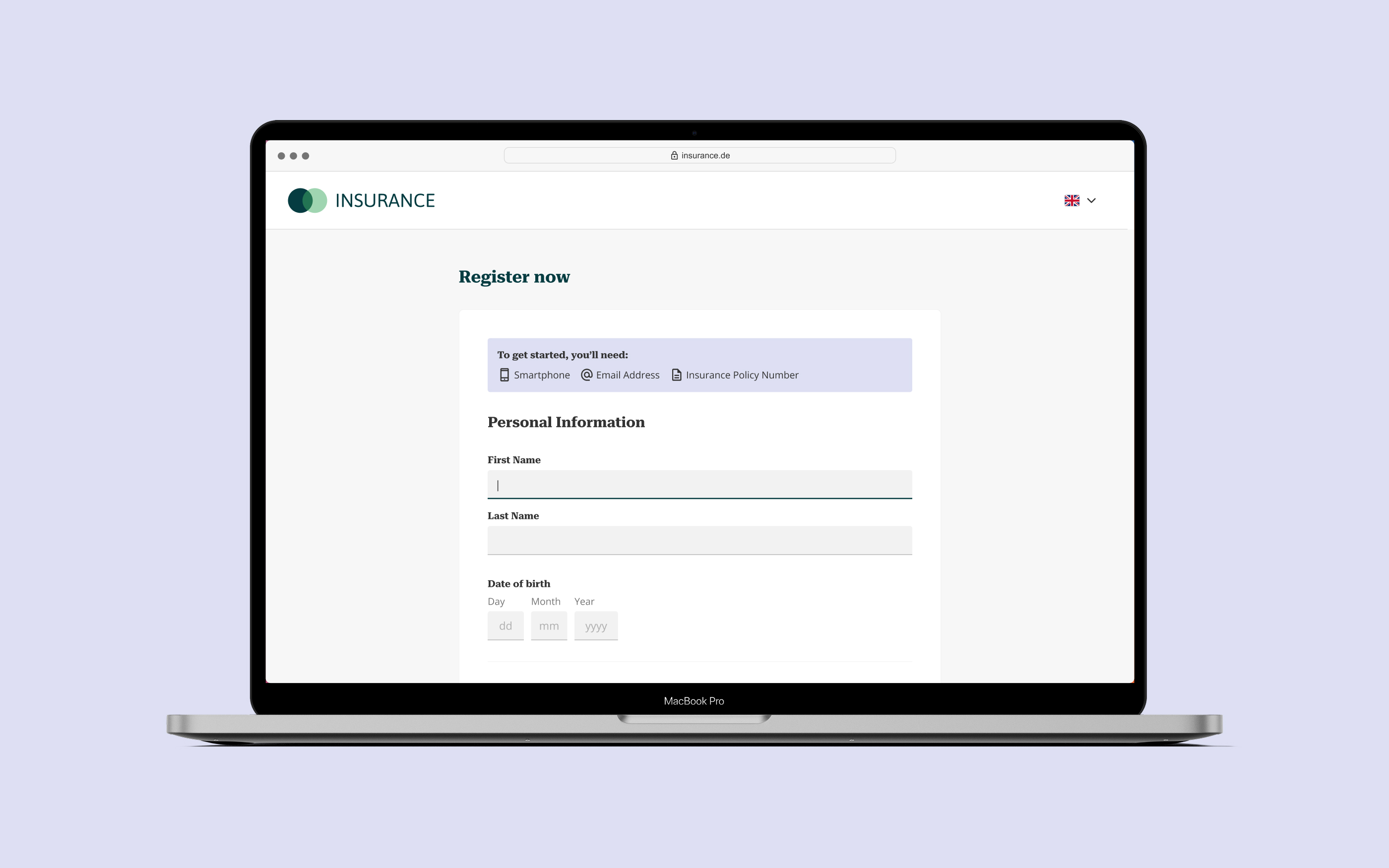
- 50+ screens for onboarding and self-service portal across mobile, tablet, and desktop
- Fully functional interactive prototype for usability testing with real users
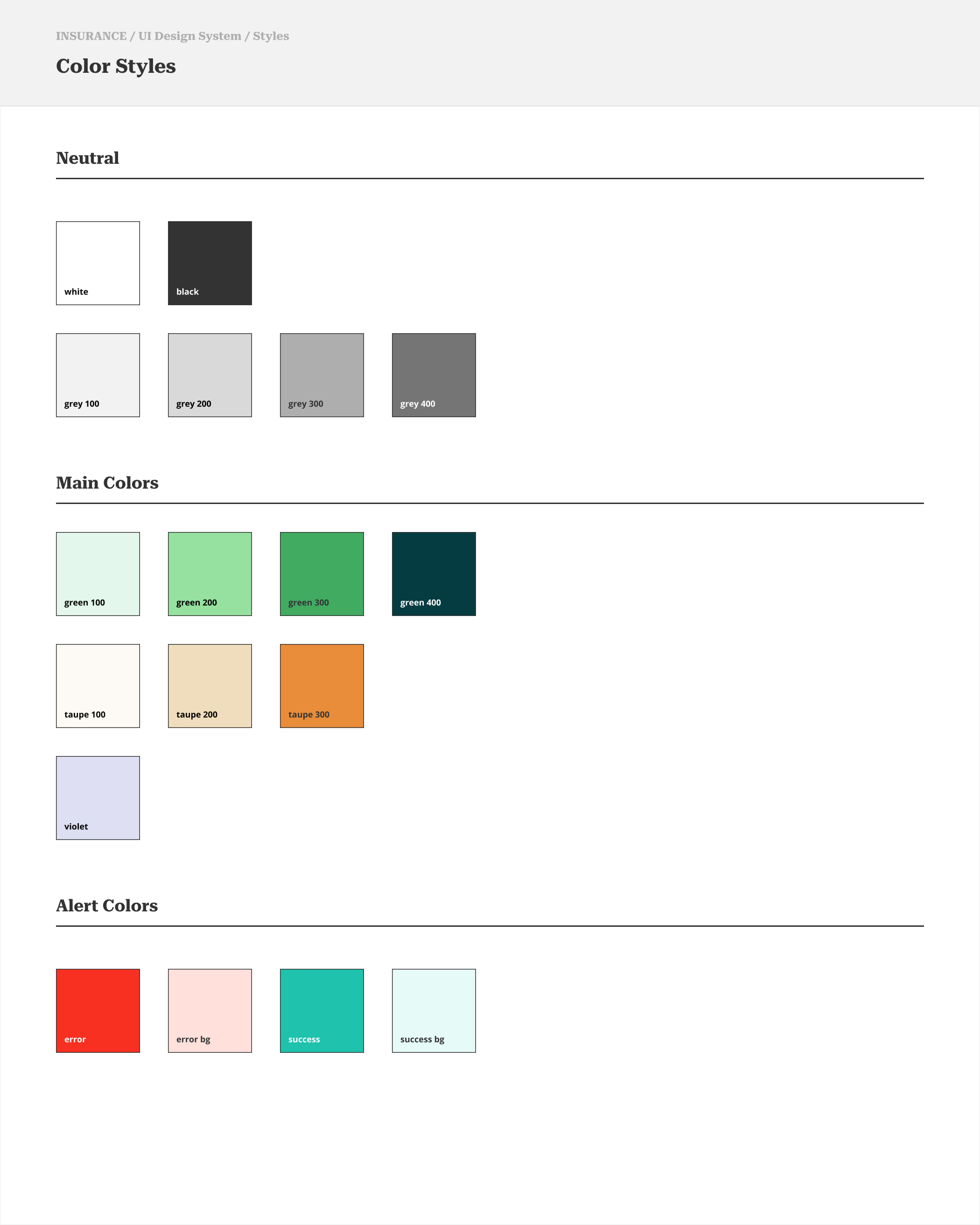
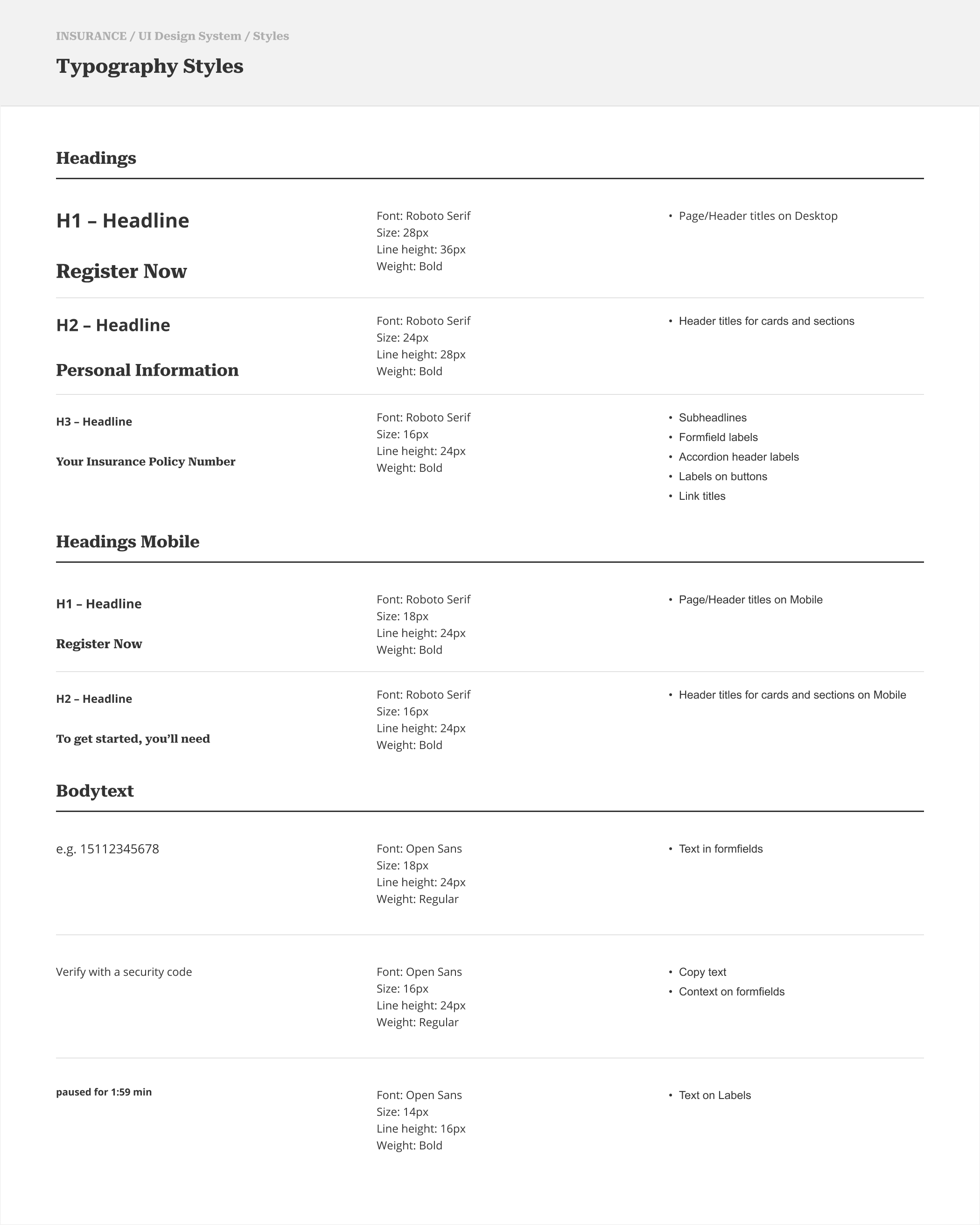
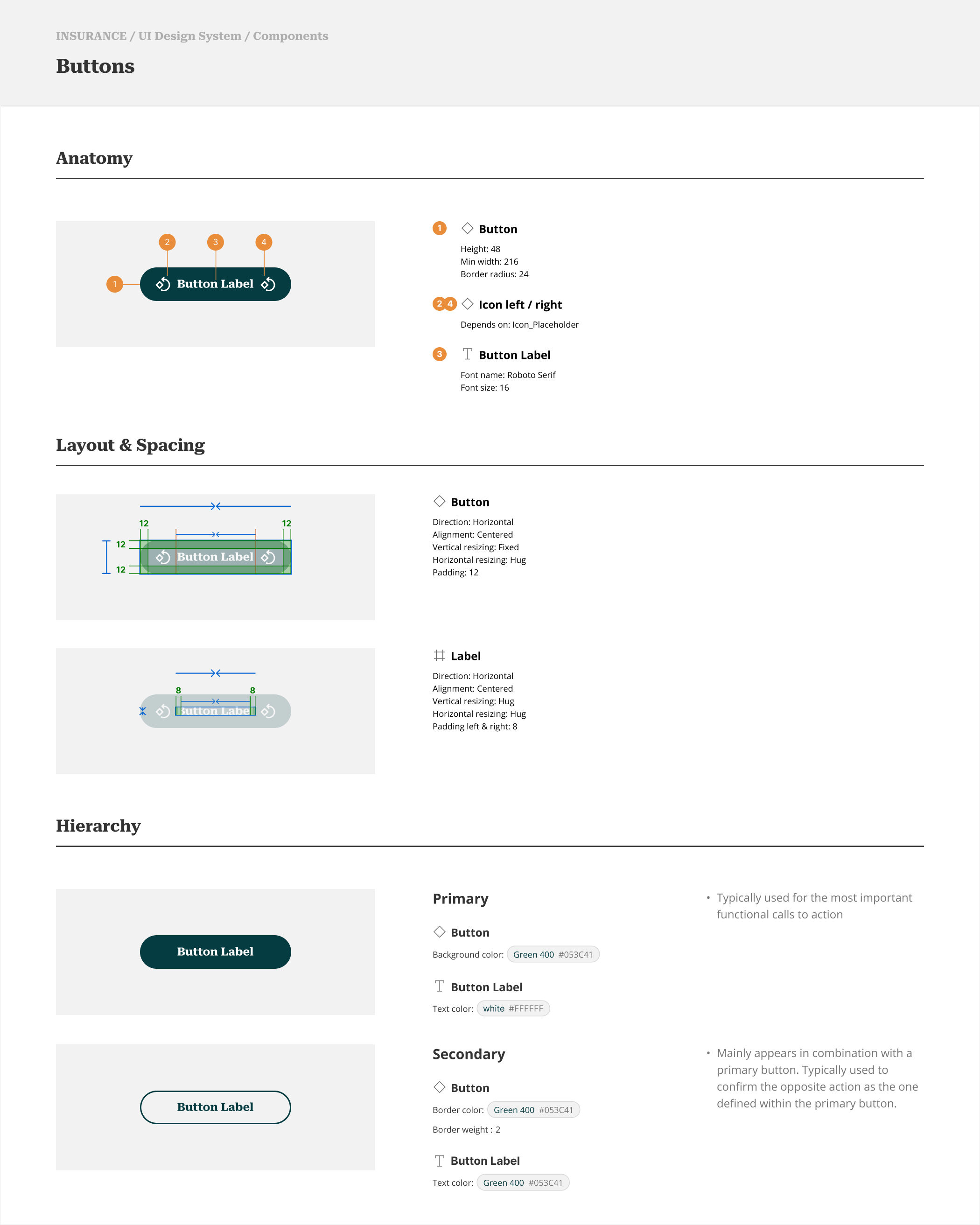
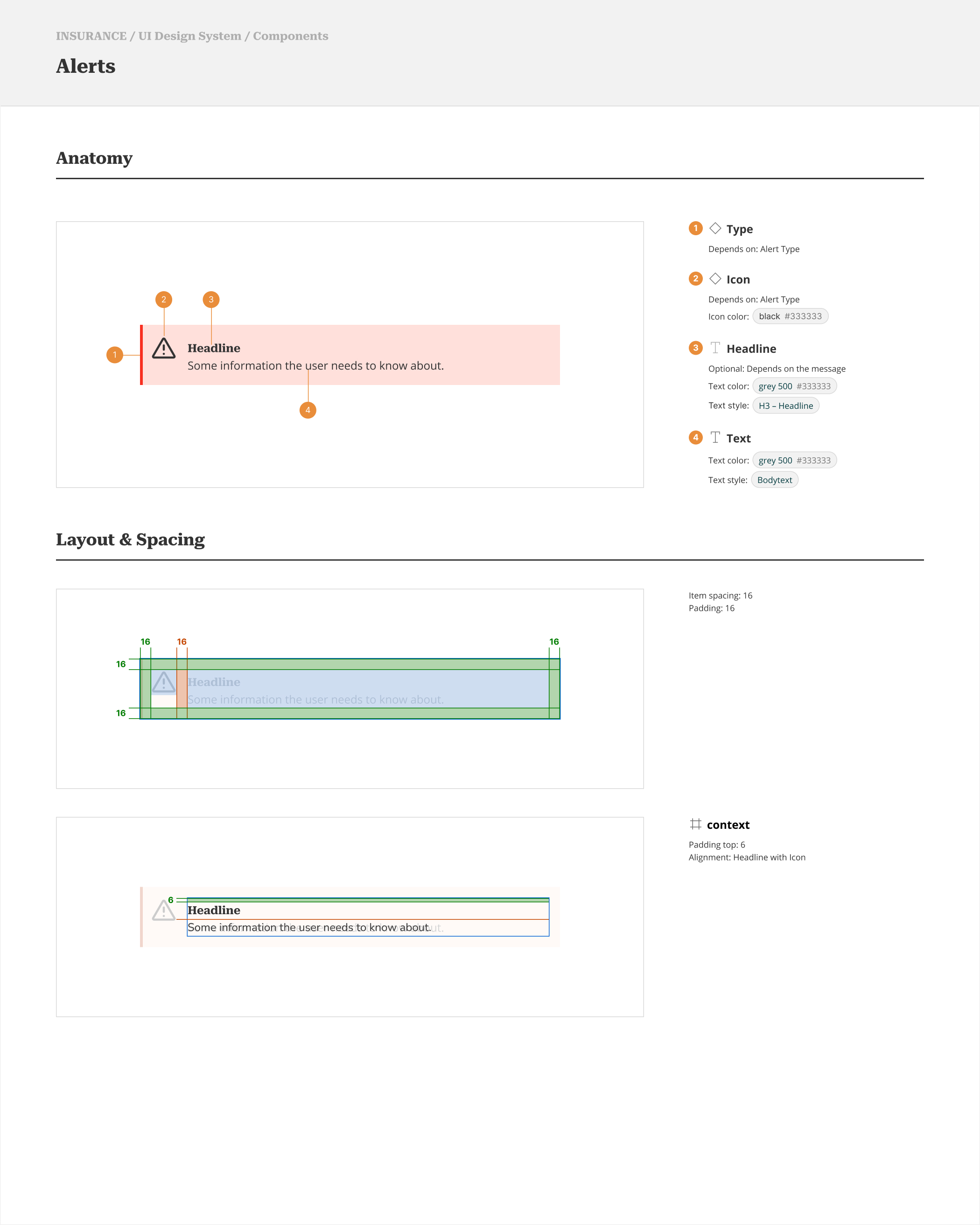
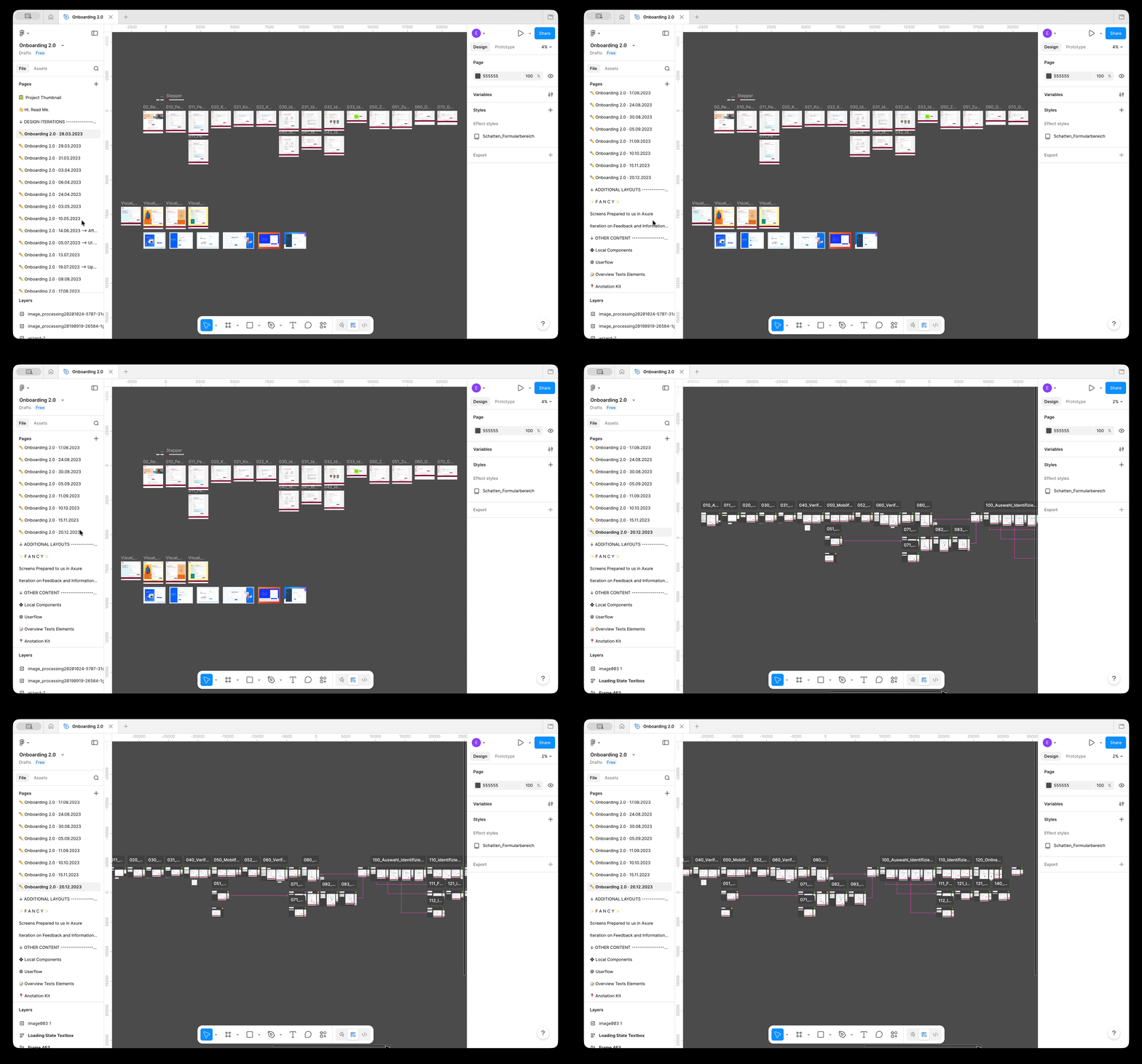
- Comprehensive design system documenting style guide, component behaviors, and responsive breakpoints
🔧 Approach
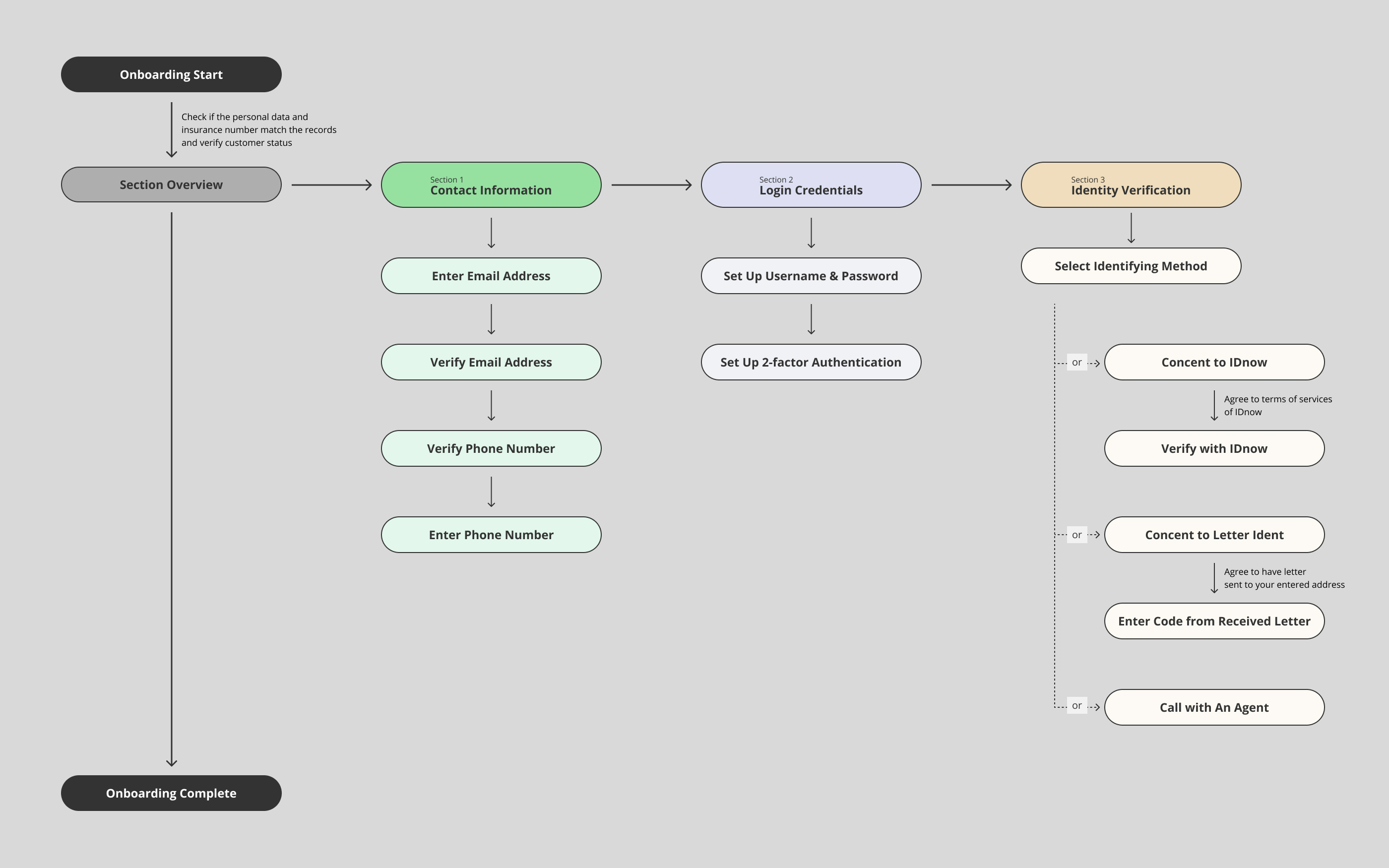
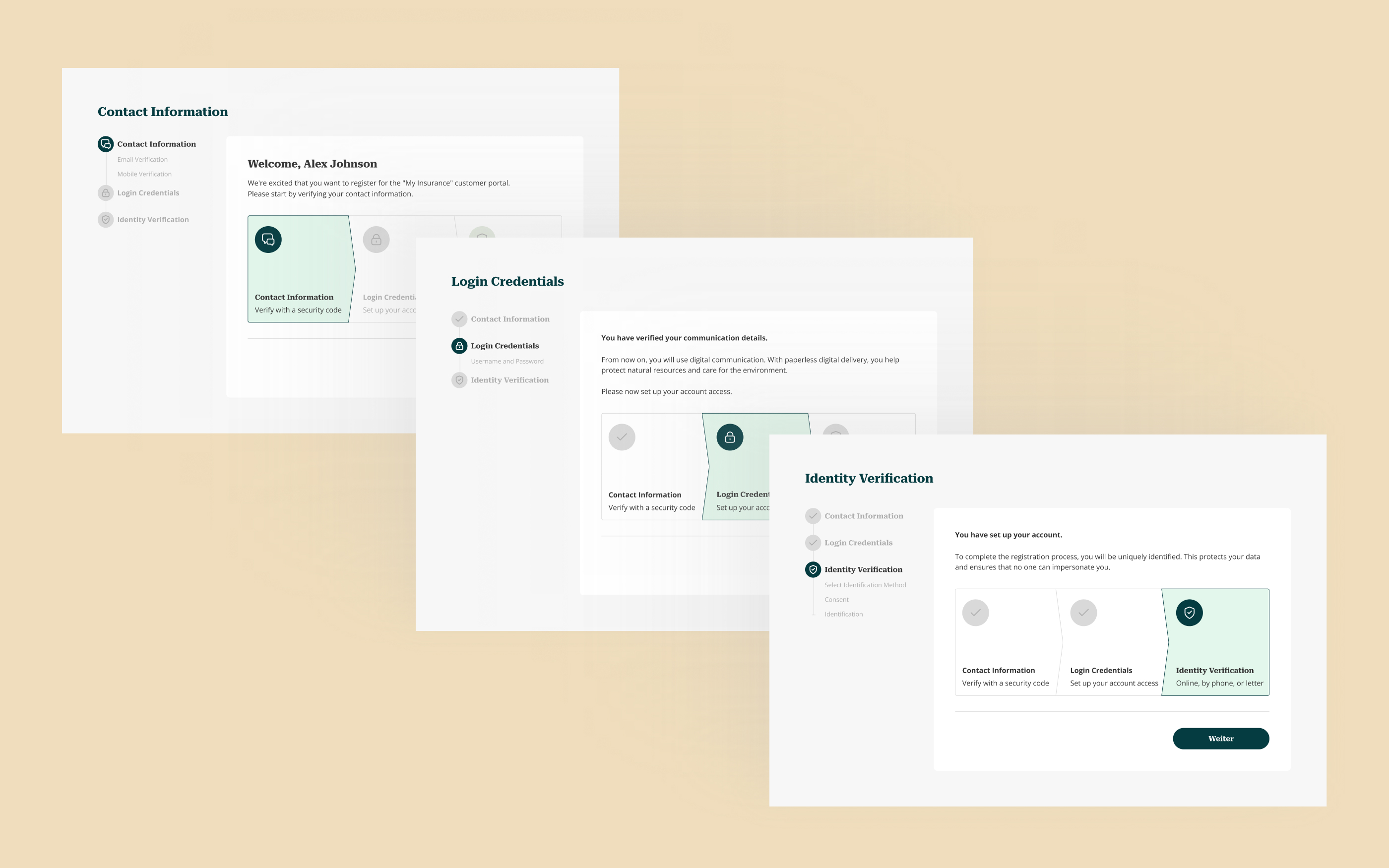
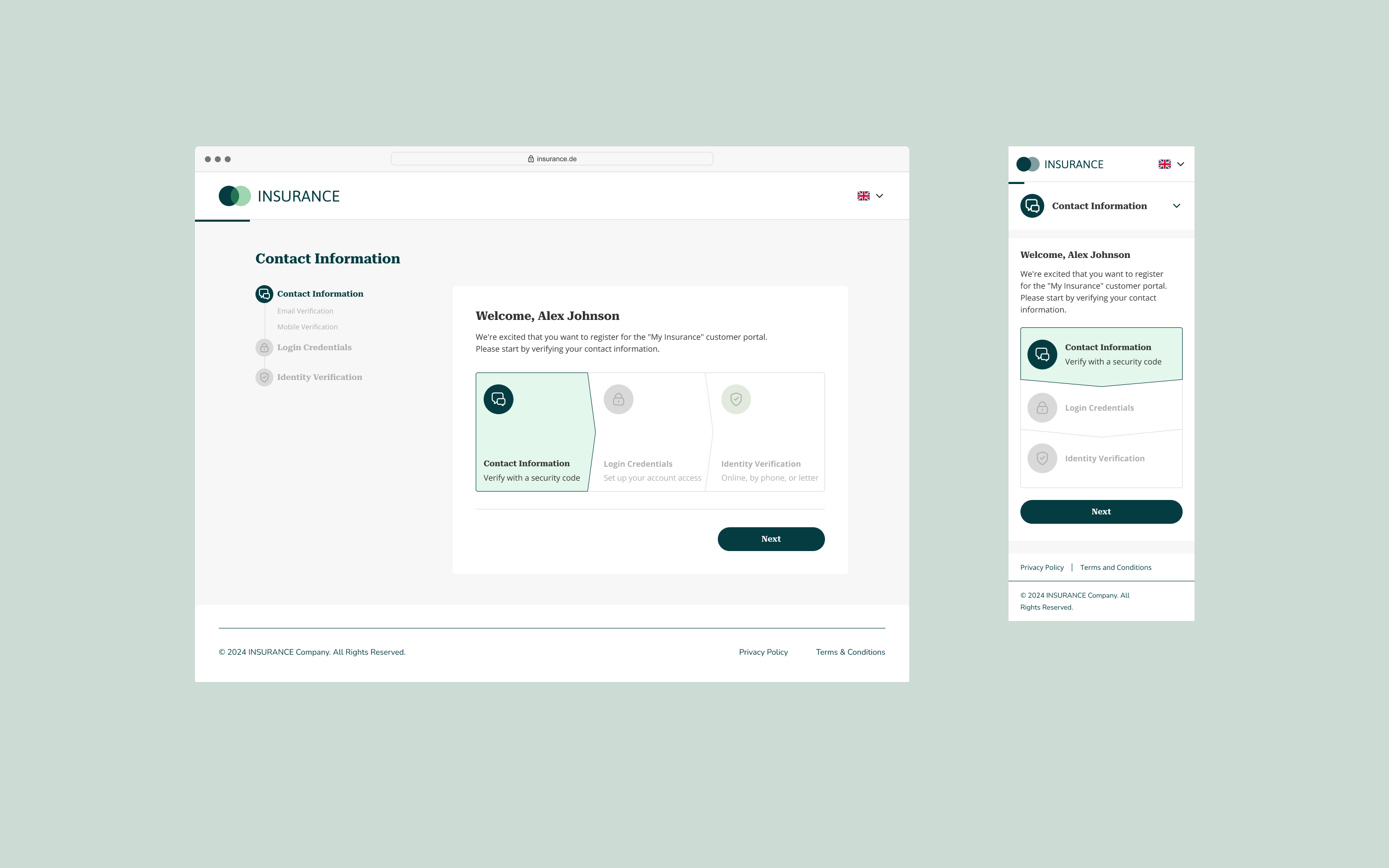
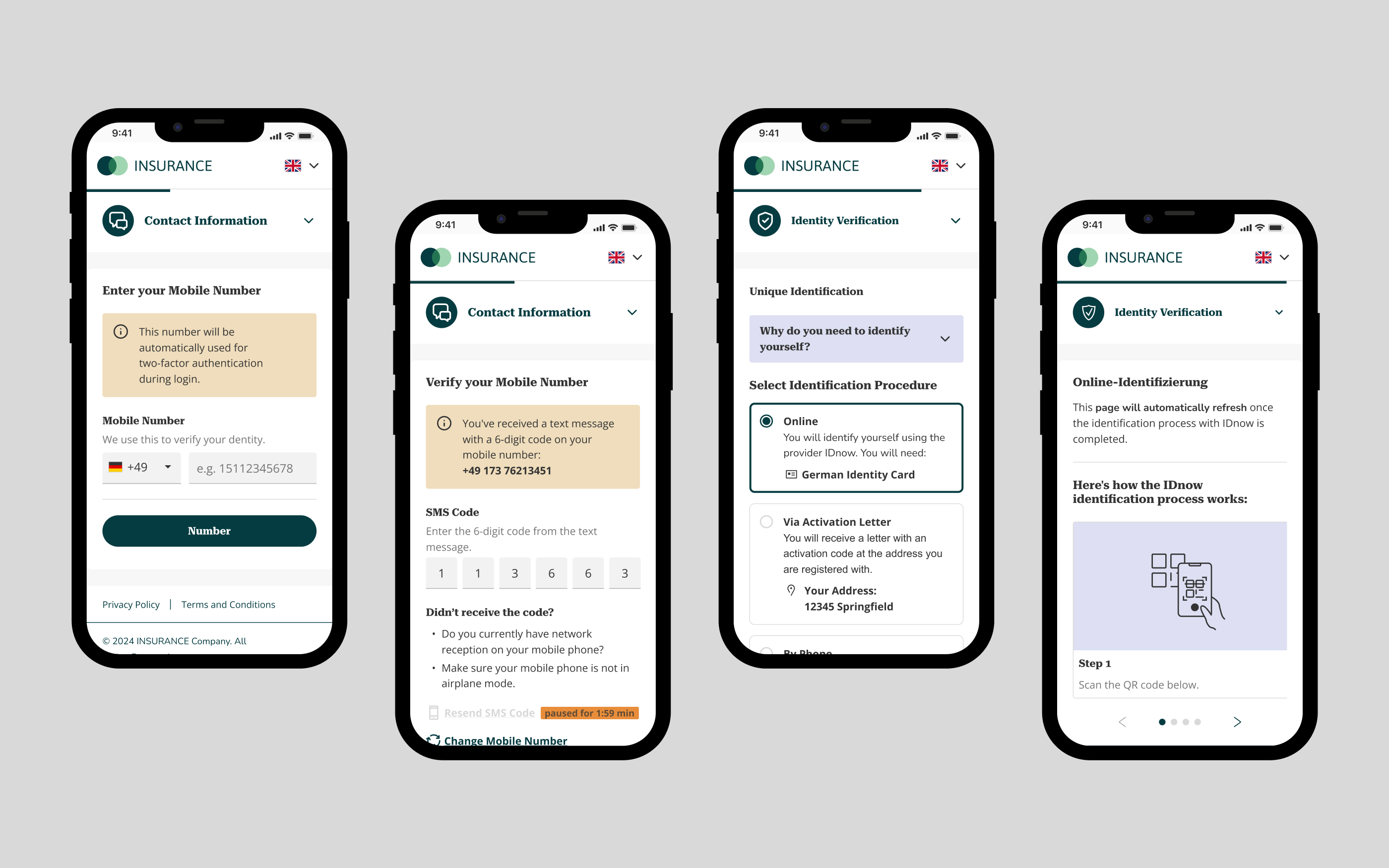
After conducting UX research and aligning on best practices for user onboarding, we developed a modular flow that breaks account setup into three clear steps:
- Verify contact information – Confirm phone number and email address
- Set up login credentials – Create account for portal access
- Complete identity verification – Digitally verify using ID, a mailed letter, or phone call with customer service
This structure provides transparency, prevents information overload, and informs users upfront of any necessary documents. Each step acts as a natural pause point, allowing users to exit and resume later without losing progress.
📍 Execution
Since the core flow was fixed by compliance requirements, the design work focused on refining the details: simplifying complex steps with visuals, fine-tuning micro-interactions, and polishing copy for edge cases.
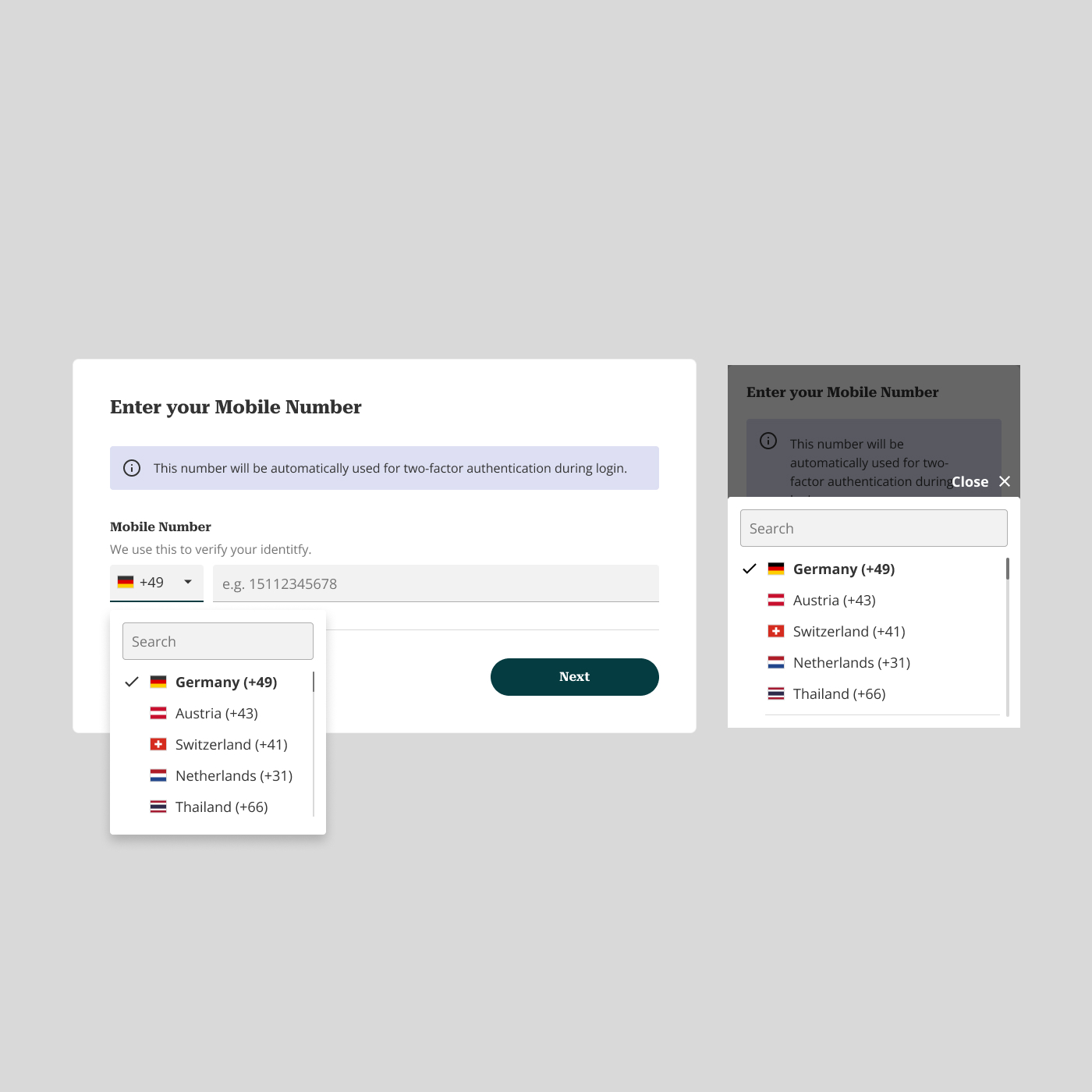
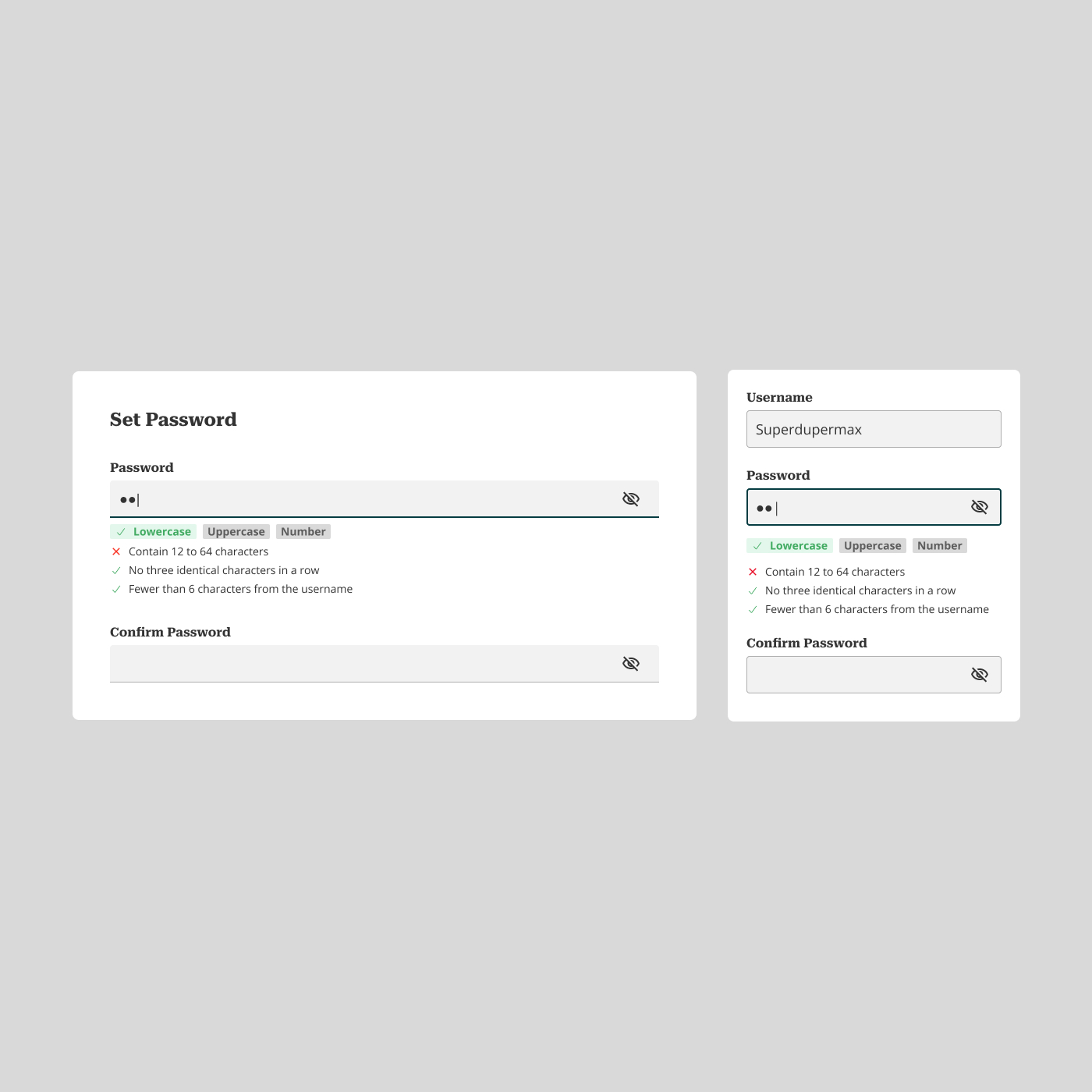
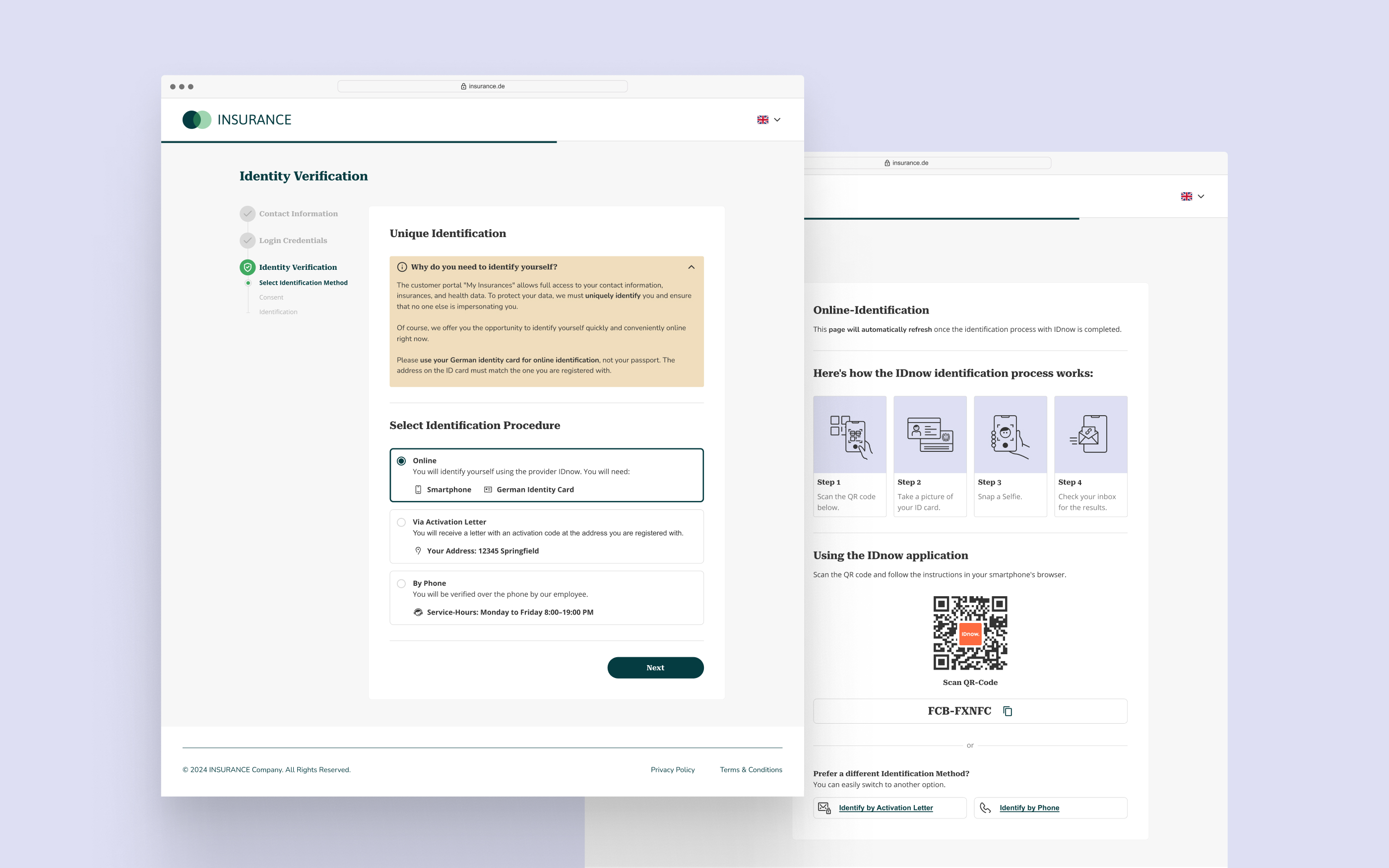
We adapted the designs across mobile, tablet, and desktop to ensure a seamless experience on all screen sizes. Throughout the project, we held weekly check-ins with the client, staying flexible to accommodate shifting requirements.
We also developed a comprehensive design system for both developers and the in-house design team, covering everything from visual styles to components. This system ensures a seamless and cohesive user experience across multiple applications, unifying the design language and maintaining consistency.