Inbox for charles
charles is a conversational AI platform that helps brands manage customer interactions through messaging apps. The platform supports multiple types of interactions: structured flows set up by brands (for commerce and marketing), AI-automated conversations, and AI escalations when human intervention is needed.
📦 Deliverables
- Information architecture redesign
- High-fidelity designs for all screens and states
- Interactive prototypes for key workflows (resolve ticket, assign/unassign agent, filter by channels, resolve duplicates)
🔍 Problem
When the AI agent was introduced, agents went from handling every inquiry to only managing escalations. AI now handles common inquiries automatically and escalates complex cases to humans.
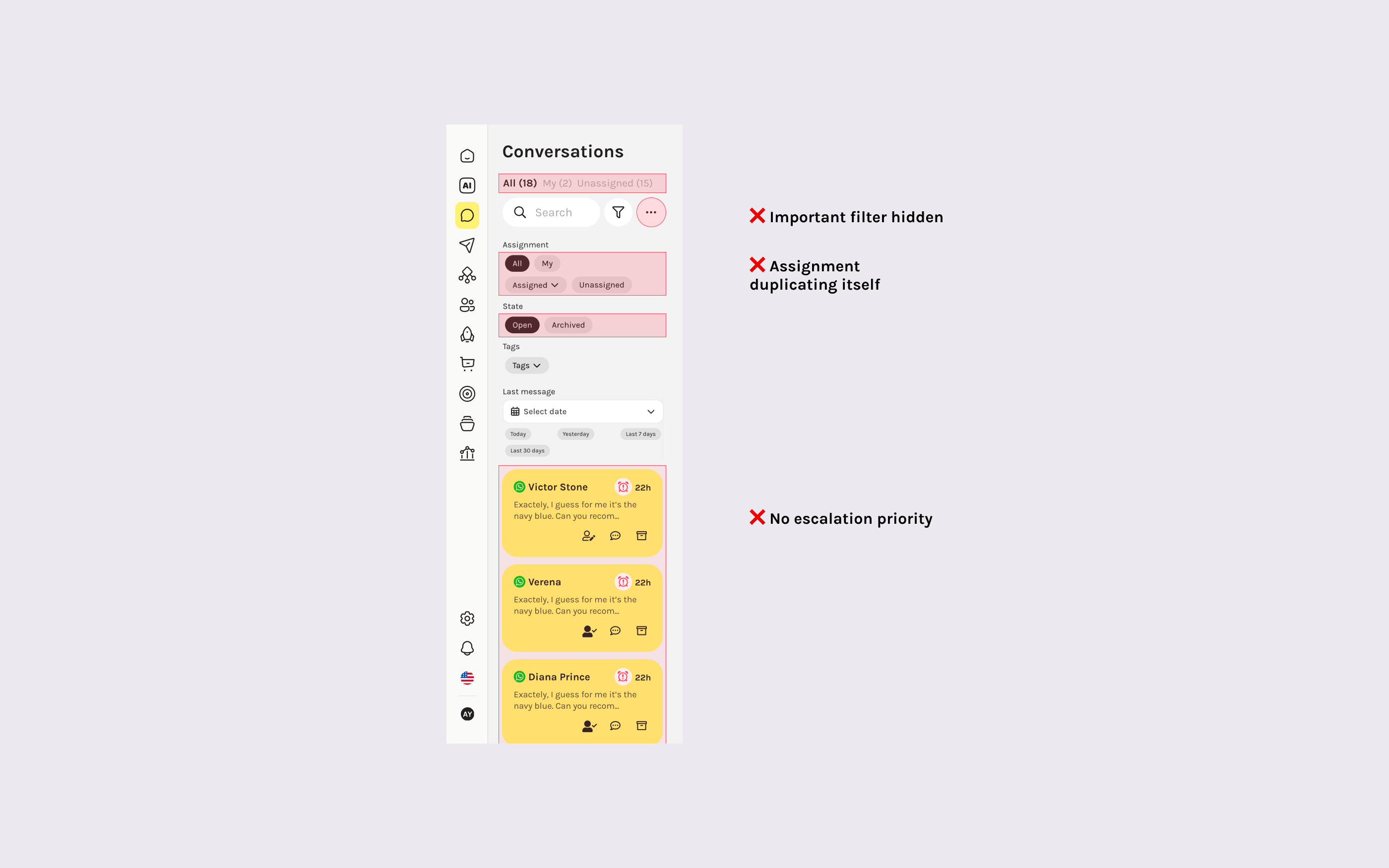
But the interface couldn't keep up. The old system used visual states based on response status (unanswered = yellow, answered/resolved = white), which worked when agents handled everything. With hundreds of conversations now mixed together—flows, AI-handled, and escalations—agents had no way to identify what actually needed their attention.
🔧 Approach
I researched how other conversational AI platforms and ticket management systems structure their interfaces. The most effective products make both tickets and automated conversations visible simultaneously, with clear visual hierarchy that lets humans quickly scan what needs immediate action versus what requires casual monitoring.
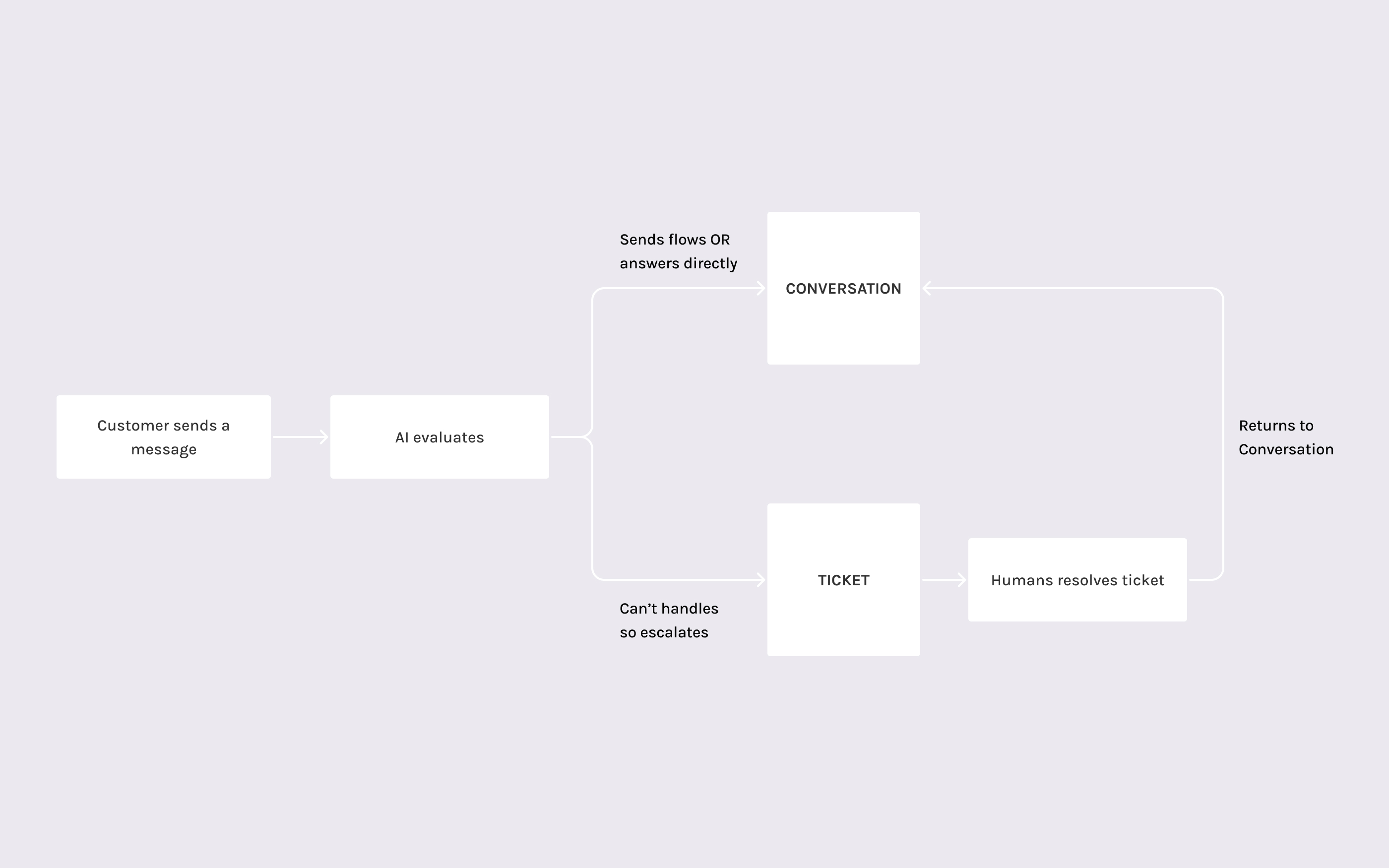
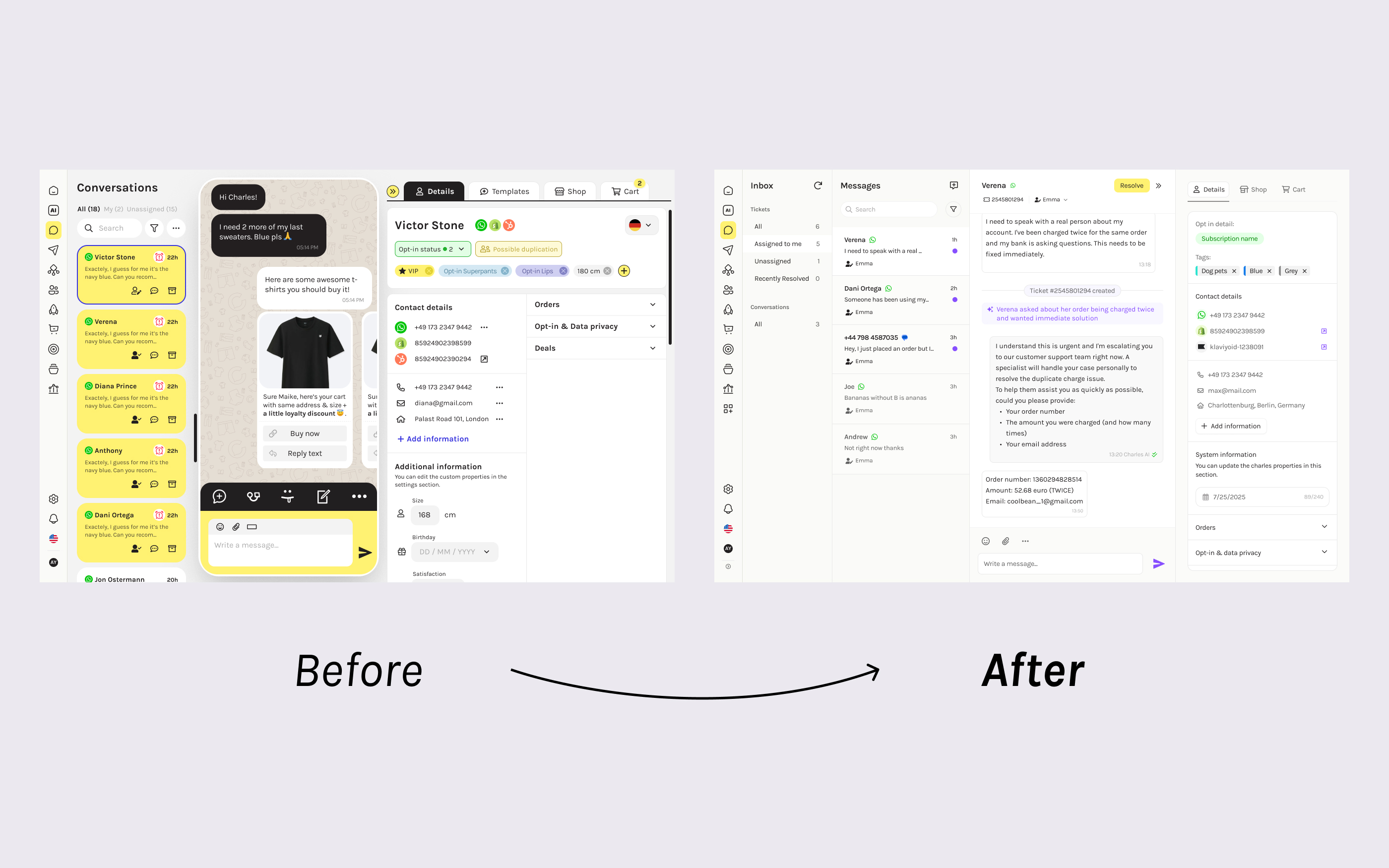
I redesigned the conversation experience into an inbox that gives tickets prominence while keeping automated conversations accessible. The new structure splits what was previously "Conversations" into two views:
- Tickets: AI escalations requiring action, with clear states (open, pending, resolved)
- Conversations: All automated flows and AI interactions, monitorable but de-emphasized
💡 Solution (Link to Figma prototype)
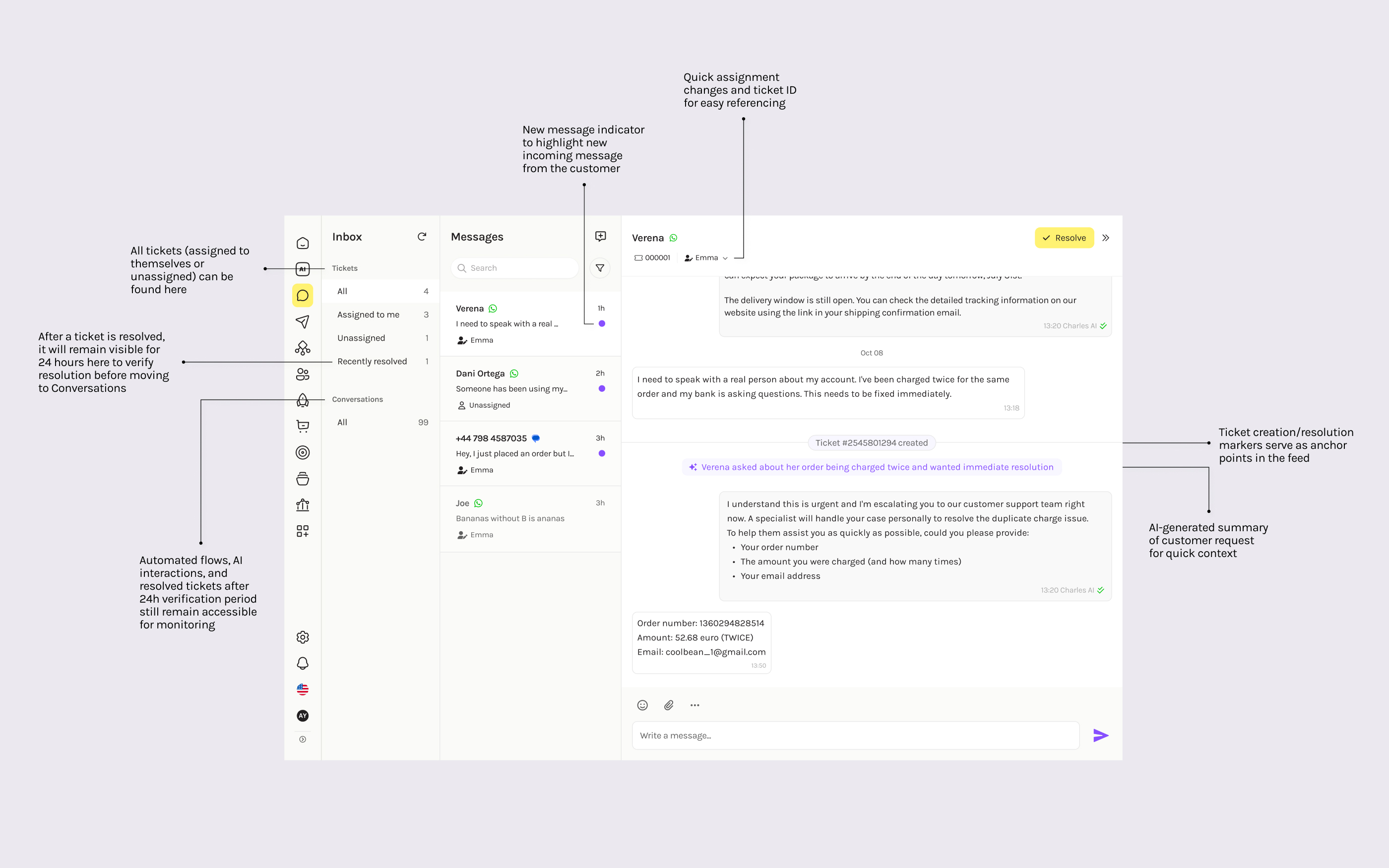
The interface uses a three column layout:
- Filterable sidebar for ticket management
- Scannable tile view for browsing conversation
- Message feed where agents can actually work on tickets
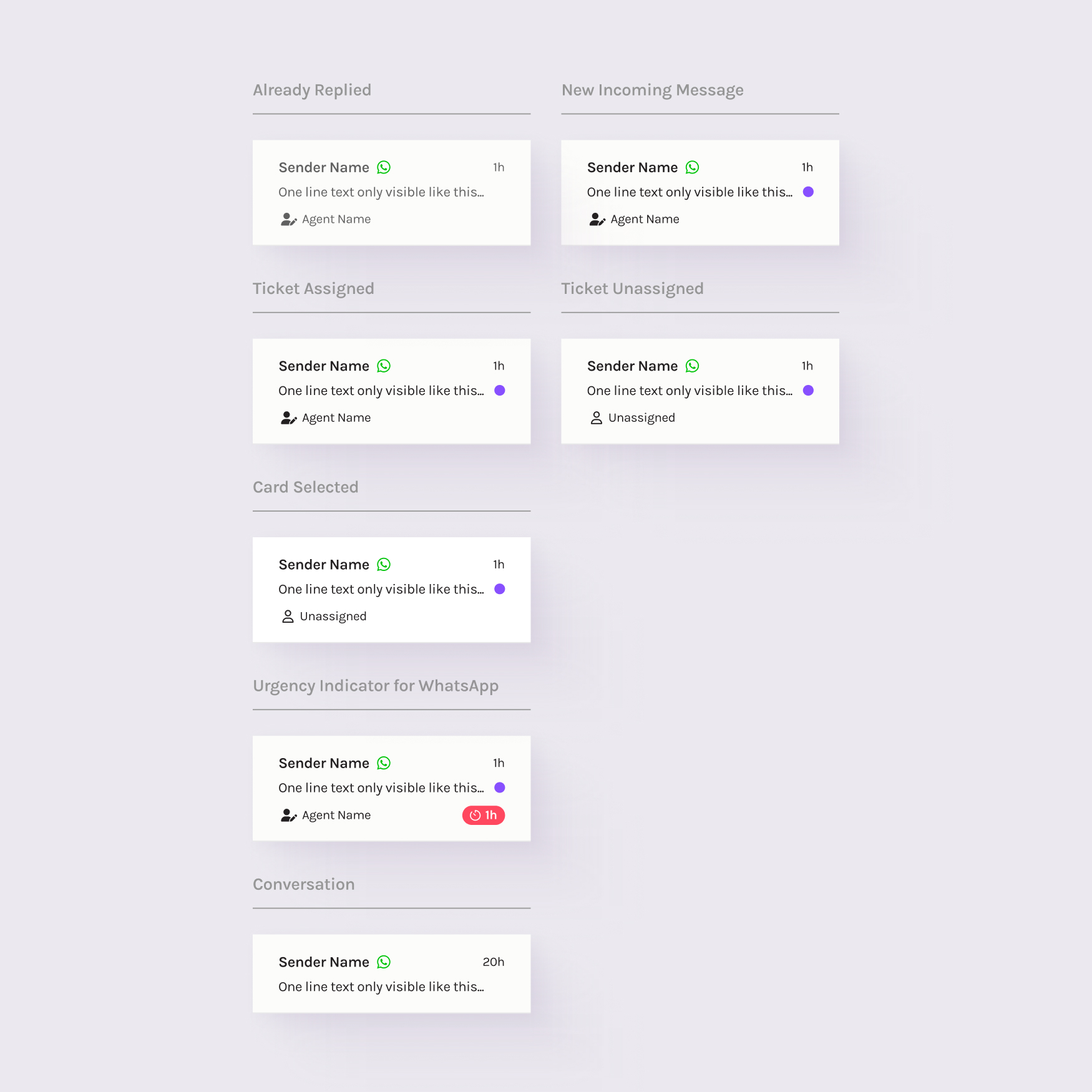
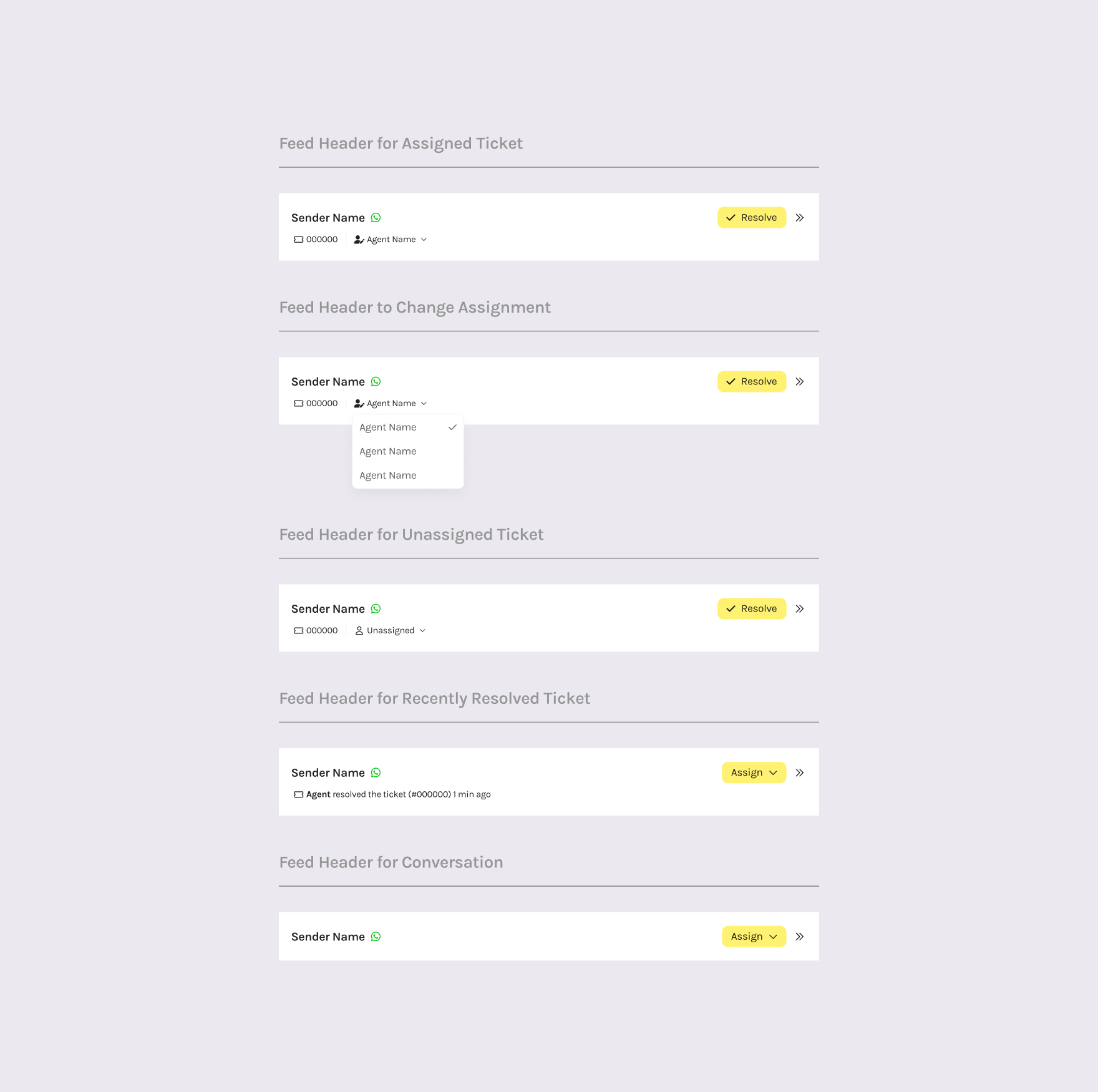
Key information (assignment status, unread indicators, ticket state, and channel type) is visible at the tile level, allowing agents to quickly assess priority before opening each thread. The feed header enables quick actions with ticket ID for referencing.
Inline state markers and AI-generated summaries create anchor points throughout the message thread, giving agents full context at a glance.
The components adapt based on context, showing different information depending on assignment status, channel type, urgency level, and ticket state. This keeps the design flexible while maintaining visual consistency.
🌱 Outcome
The new inbox structure turns hundreds of mixed conversations into a manageable queue. Agents can now quickly identify escalations, understand context through AI summaries, and take action without digging through automated flows.
The design went through multiple iterations based on feedback from the customer support team and technical constraints. Some features had to be delayed or adjusted to work for both AI-enabled and non-AI customers using the same interface.
We're still iterating as we roll out the new design. But the core structural change—separating escalated tickets from the rest—was necessary. With AI handling most interactions now, agents needed a clear way to focus on what actually requires their attention. The old structure couldn't support that. The new one does.